

AOSU camera
Independent site whose links lead to the official AOSU products.
BATTERY CAMERA
WIRED CAMERAS
INDOOR CAMERAS
SOLAR CAMERAS
VIDEO DOORBELLS
By Thomas Rivière, Product Analyst — Last updated: 31 October 2026
Introducing the AOSU IndoorCam P1
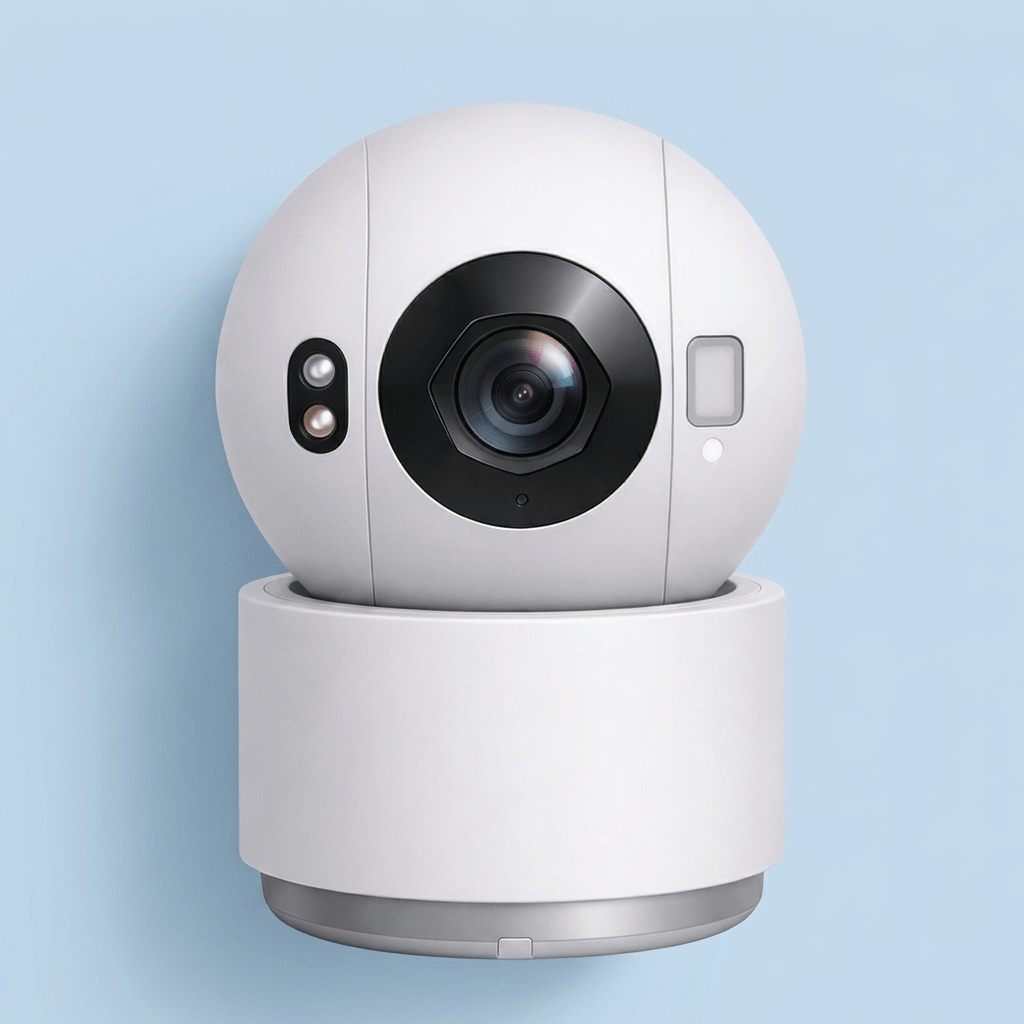
The AOSU IndoorCam P1 is a compact indoor security camera that records in 2K QHD and rotates 360° to see every corner of the room. It automatically tracks motion, sends alerts with a thumbnail and lets you call a loved one with a single touch. Its night vision relies on eight 940 nm infrared LEDs, invisible to the eye, so as not to disturb a sleeping baby. It connects to both 5 GHz and 2.4 GHz Wi-Fi and works with Alexa and Google Assistant. It suits a living room, a child’s bedroom or a hallway, wherever one camera has to watch a whole room.
Technical Specifications
- Video resolution: 2K QHD for a sharp image.
- Night vision: eight 940 nm infrared LEDs, invisible to the eye.
- Rotation: 360° panoramic view and a preset round-look to check each area.
- Smart tracking: motion tracking and real-time alerts.
- One-touch calls: start a video call with a single touch.
- Two-way audio: talk to your loved ones anytime, anywhere.
- Privacy mode: the camera stops watching when you decide.
- Storage: local SD card or cloud.
- Compatibility: Amazon Alexa and Google Assistant.
- Wi-Fi: 5 GHz and 2.4 GHz compatible for a hassle-free connection.
Key Features & Benefits
- Panoramic indoor monitoring with no blind spots.
- Thumbnail notifications to quickly see what is happening in the living room.
- Discreet infrared night vision for a child’s bedroom.
- Privacy respected thanks to privacy mode.
- Share with family: up to 5 people online at the same time.
Key Takeaways
- 2K QHD resolution for a sharp indoor image.
- 360° rotation and preset round-look.
- Motion tracking and thumbnail alerts.
- Privacy mode and one-touch video calls.
- SD card or cloud storage, 5 GHz and 2.4 GHz Wi-Fi.
FAQ – Frequently Asked Questions
Does the IndoorCam P1 require a subscription?
No. The IndoorCam P1 records locally to an SD card, with the cloud as an option. Live view, notifications and playback are all managed in the aosu app. You can review events and download them without taking out a plan.
Can the camera be disabled to protect privacy?
Yes. The IndoorCam P1 has a privacy mode you can switch on from the app, so the camera stops recording when you are home and prefer to keep your privacy. Switch it off again when you leave to resume monitoring.
Does the camera work in total darkness?
Yes. Eight separate infrared LEDs give a clear, bright image in the dark. They emit at 940 nm, a wavelength invisible to the eye, which avoids the red glow that could wake a baby.
How does the IndoorCam P1 track motion?
It automatically tracks detected motion and alerts you in real time, with a notification that includes a thumbnail so you can check at a glance who is in the living room. Smart playback, with event type filters and fast forward or rewind, then helps you find the important moments.
Is it compatible with smart home systems?
Yes, it works with Amazon Alexa and Google Assistant. Day-to-day management, one-touch calls and preset messages go through the aosu app.
Can I reply quickly when I am busy?
Yes. The aosu app offers preset messages to reply quickly when you cannot talk, and one-touch calls let you start a video conversation without searching through menus. This is handy when a family member calls the camera while you are in a meeting or driving.
Can I check every area of the room quickly?
Yes. The preset 360° round-look mode lets you check each region of the room easily, and you can also turn the camera manually from the app to look at a specific corner. It is a quick way to sweep the room when you open the app, without waiting for a motion alert.
How many users can share access to the same camera?
Up to 5 people can be online at the same time, so you can share interesting events with your family. Each person follows the camera from the aosu app on their own phone. Grandparents or a babysitter can therefore check in on the children without borrowing your account.
With its 360° rotation, preset round-look and privacy mode, the IndoorCam P1 covers most of a room from a single spot while letting you decide when it records: that is its main advantage over a fixed indoor camera.
HOW TO – Installation & Setup
Also discover the AOSU IndoorCam P1 Pro, which moves up to 4 MP, or the AOSU Video Doorbell SE to complete your home security at the front door.
Read our full AOSU indoor cameras guide.
Setting up the AOSU IndoorCam P1
The IndoorCam P1 is a motorised indoor camera: placed on a piece of furniture or a shelf, it rotates 360° to cover the room from one spot. Place it at eye level or slightly higher, near a socket, with a clear view of the areas that matter: the living room entrance, the child’s cot or the patio door. The preset round-look mode then lets you check each area with a single touch. Avoid placing it facing a window, where backlight can darken the image, and keep the lens clear of plants or curtains that might move.
Setup is done in the aosu app. The camera works with both 5 GHz and 2.4 GHz Wi-Fi, which makes connecting to your home router easy. Then enable smart motion tracking and alerts, and choose the preset messages you want to send when you are busy. You can share access: up to 5 people can be online at the same time.
Night vision, one-touch calls and family sharing
The IndoorCam P1’s night vision relies on eight separate infrared LEDs that give a clear, bright image in the dark. They emit at 940 nm, an invisible wavelength: no red glow in the room, which helps babies sleep undisturbed. It is an asset for watching over a child’s bedroom or the living room at night without being noticed.
Two-way audio lets you talk to your loved ones at any time from your smartphone, and one-touch calls start a video conversation without digging through menus. When you are busy, a preset message replies for you. Interesting events can be shared with the family, with up to 5 people able to follow the camera at the same time.